TEMP Screenshot
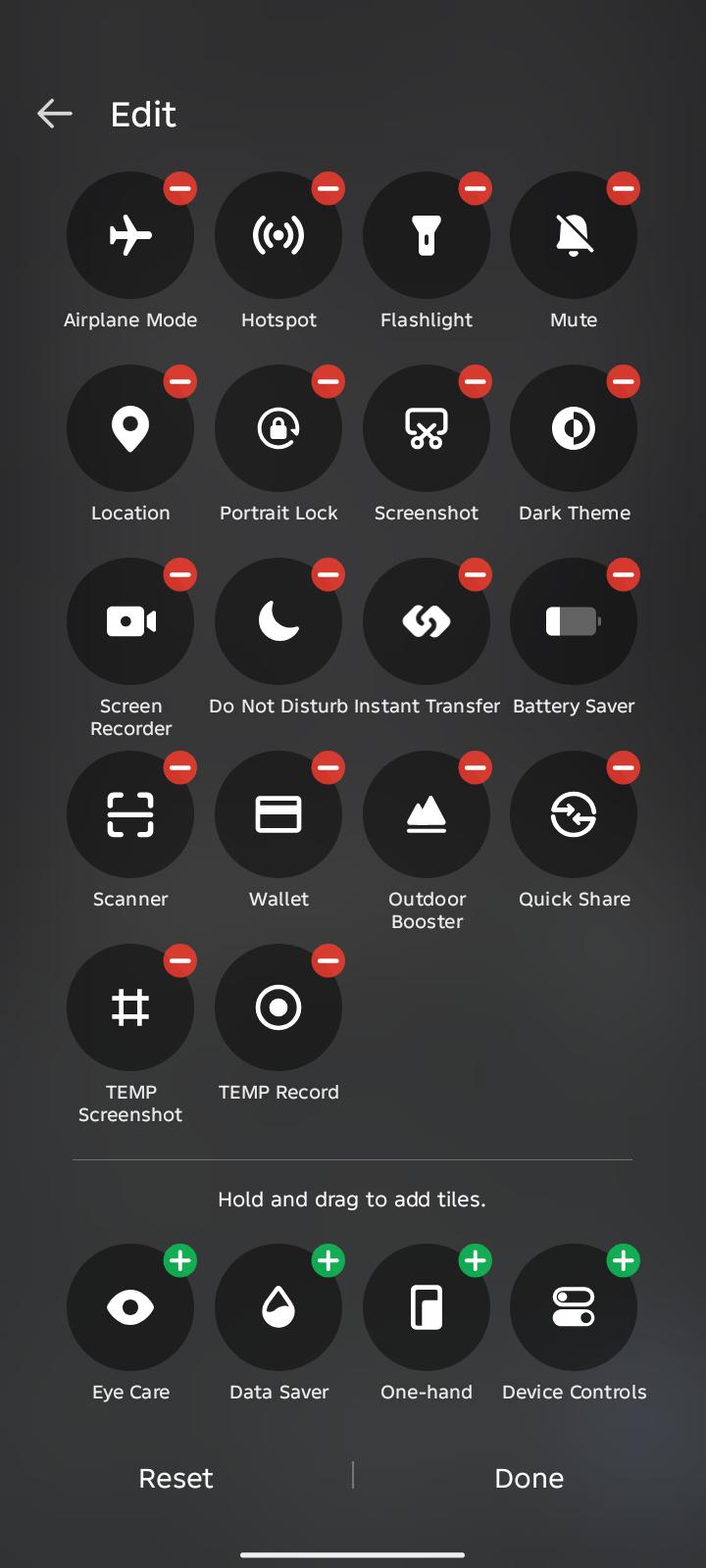
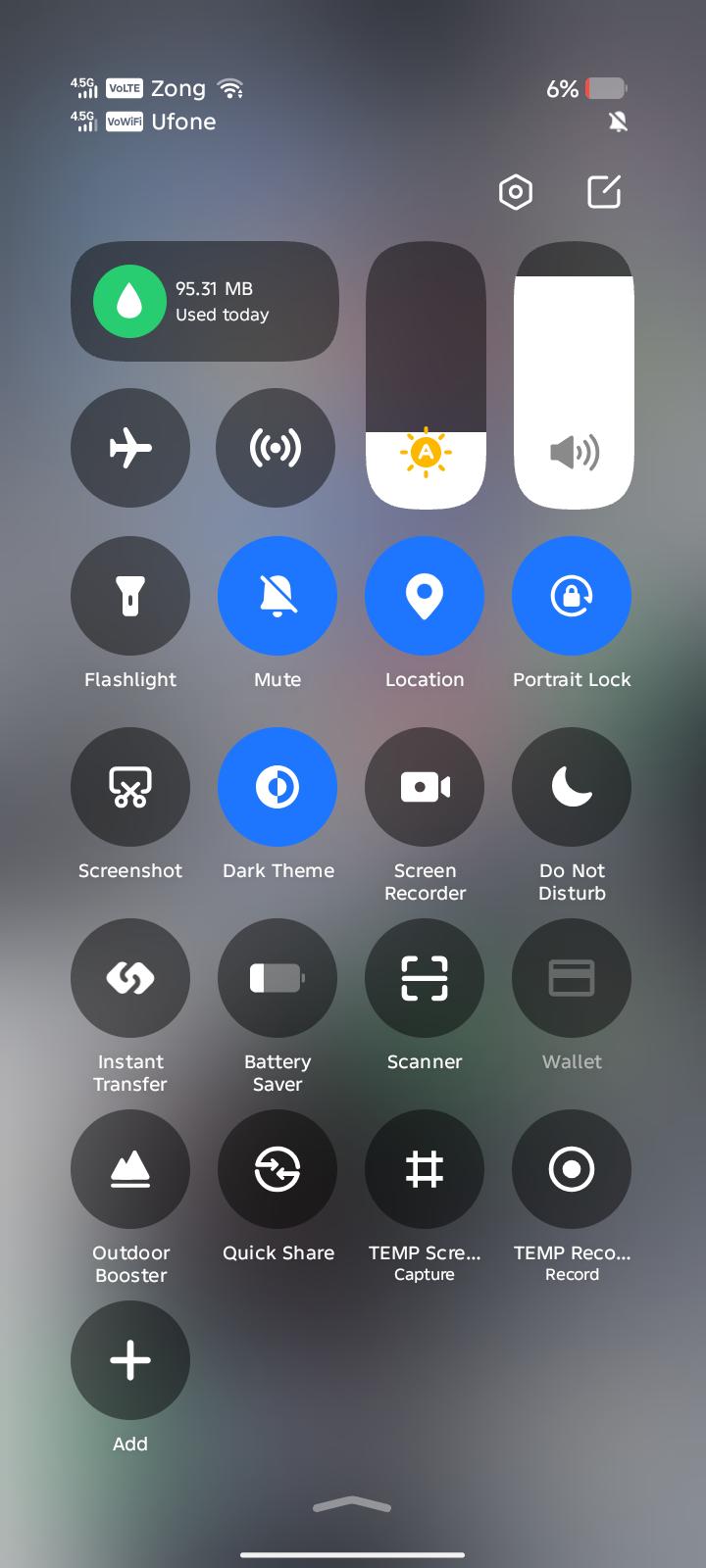
- Add the TEMP Screenshot tile in Android Quick Settings, then open it.
- Start a session and choose how long those screenshots should stay.
- Shots from that session are saved in TEMP. The phone's own screenshot buttons are unchanged.
Need it now. Not forever.
Keep files for as long as you need them. Use them across apps. Let them disappear when you're done.
Download TEMP for AndroidTEMP for Android — Public Beta · not on Google Play
HOW IT WORKS
Your phone doesn't need to remember everything.
A closer look at how TEMP handles temporary files, screenshots, recordings and expiry.
TEMP holds files, screenshots, videos, and downloads you only need for a while. Use them. Share them. When you're finished, they expire instead of sitting in a permanent folder.
Temporary storage
Files, screenshots, and recordings stay in TEMP instead of filling a permanent folder.
Automatic expiry
Choose how long a file stays. When time is up, TEMP removes it.
TEMP IN
Share a file into TEMP, or capture it there. It does not need a permanent home first.
TEMP OUT
In compatible apps, pick a TEMP file from Files under TEMP. You do not have to Keep it first.
Screenshots
A screenshot session stays in TEMP. Quick Settings can capture the next shot without opening the app.
Screen recording
Record with no audio or the microphone. The video stays in TEMP until it expires or you Keep it.
Files and Gallery
The same private files, as a list or as pictures and video. Playback stays inside TEMP.
Share
Send a TEMP file to another app without copying it into Gallery.
Keep
Keep is the step that saves a permanent copy. Using a file does not.
Recently Gone
A removed file can be restored for a short time. It still uses storage until it is gone for good.
Screen recording in v0.6 is no audio or microphone. TEMP does not capture internal device audio. Installing from the browser may ask you to allow unknown apps.
No need to import them afterward.
Open Quick Settings. Start a TEMP session. Choose how long you need it. TEMP takes care of the rest.
If a screenshot or recording matters, Keep it. Keep saves a permanent copy. If you leave it, TEMP removes it when the time you chose is up.
The gallery, a recording, how long a file stays, and a screenshot session.
Swipe for the rest. Tap a screenshot to enlarge it.
From saving something temporarily to using it in another app. Here's where TEMP has been tried.
WhatsApp · ChatGPT · Grok (being tested) · Instagram · X · and more
Share your TEMP files with other apps that support Android sharing.
WhatsApp · ChatGPT · Email · and more
Access your TEMP files through Android's Files picker in compatible apps, without manually exporting them first.
BEING TESTED
Discord photos & videos · X images · Facebook photos · PDFs · ZIP files · and more
Bring supported files into TEMP, choose an expiry, and decide later whether to keep them.
BEING TESTED
These are examples, not limits. If an app supports compatible Android sharing or file selection, TEMP may work with it too. TEMP is not affiliated with these apps.
TEMP for Android — Public Beta. Not on Google Play.
Download TEMP for AndroidComing soon
A Windows version is in development. There is no public download yet, and there is no release date.
Your TEMP files stay on your device.